|
Notes |
|
|
(0011649)
|
|
Berk Geveci
|
|
2008-05-01 13:37
|
|
|
If new bounds are such that the widget will be invisible, extend the bounds to include old and new bounds. |
|
|
|
(0012555)
|
|
Utkarsh Ayachit
|
|
2008-06-27 09:39
|
|
Now when the 3D widget get selected, it;s bounds are reset (with smarts).
/cvsroot/ParaView3/ParaView3/Servers/ServerManager/vtkSMPropertyHelper.cxx,v <-- Servers/ServerManager/vtkSMPropertyHelper.cxx
new revision: 1.2; previous revision: 1.1
/cvsroot/ParaView3/ParaView3/Servers/ServerManager/vtkSMPropertyHelper.h,v <-- Servers/ServerManager/vtkSMPropertyHelper.h
new revision: 1.2; previous revision: 1.1
/cvsroot/ParaView3/ParaView3/Servers/ServerManager/Resources/rendering.xml,v <-- Servers/ServerManager/Resources/rendering.xml
new revision: 1.302; previous revision: 1.301
/cvsroot/ParaView3/ParaView3/Qt/Components/pqBoxWidget.cxx,v <-- Qt/Components/pqBoxWidget.cxx
new revision: 1.2; previous revision: 1.1
/cvsroot/ParaView3/ParaView3/Qt/Components/pqBoxWidget.h,v <-- Qt/Components/pqBoxWidget.h
new revision: 1.2; previous revision: 1.1
/cvsroot/ParaView3/ParaView3/Qt/Components/pqImplicitPlaneWidget.cxx,v <-- Qt/Components/pqImplicitPlaneWidget.cxx
new revision: 1.24; previous revision: 1.23
/cvsroot/ParaView3/ParaView3/Qt/Components/pqImplicitPlaneWidget.h,v <-- Qt/Components/pqImplicitPlaneWidget.h
new revision: 1.14; previous revision: 1.13 |
|
|
|
(0012589)
|
|
Alan Scott
|
|
2008-06-30 19:53
|
|
Doesn't seem to work for me.
ParaView trunk, client/server.
Source/ Wavelet/ Apply.
Surface and color by RTData.
Clip/ Sphere/ Apply.
Change radius to 11, you never receive the option to hit Apply - and the new radius has no effect.
Click "Inside Out", then click it again. This is what it should look like. |
|
|
|
(0012592)
|
|
Utkarsh Ayachit
|
|
2008-07-01 08:14
|
|
The Sphere widget issue was another bug which should now be fixed as well.
/cvsroot/ParaView3/ParaView3/Qt/Components/pqSphereWidget.cxx,v <-- Qt/Components/pqSphereWidget.cxx
new revision: 1.2; previous revision: 1.1 |
|
|
|
(0012640)
|
|
Alan Scott
|
|
2008-07-07 18:37
|
|
|
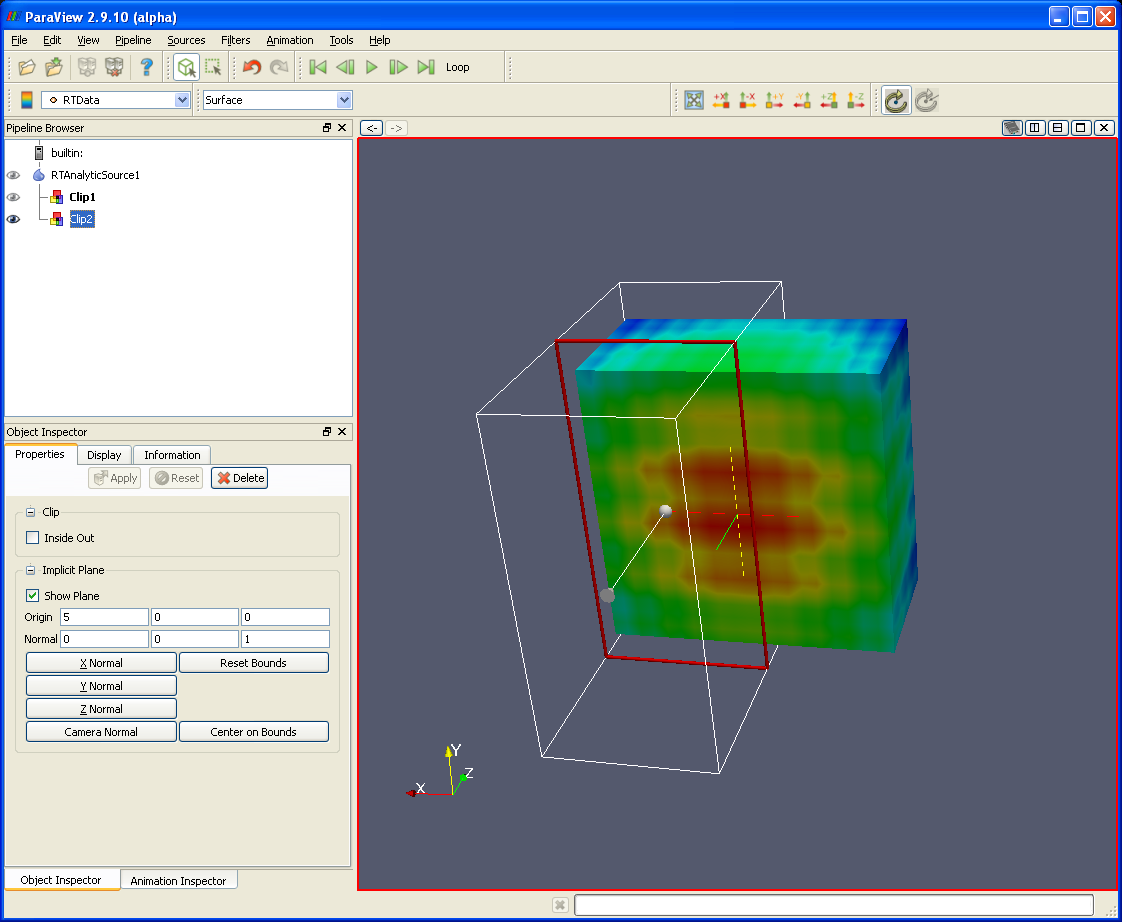
 badwidgetbounds.png (103,986) 1969-12-31 19:00